
Save hours of maintenance by editing many inventory items at once. The Bulk Item Manager is a bulk edit add-on for WP Inventory Manager: describe the items you want with one or more filters, describe the change, preview exactly what will happen, and apply it to every match in a single click. Find every item with “Fender” in the name, every item priced over $100, every item whose make does not contain the letter N, or all three at once.
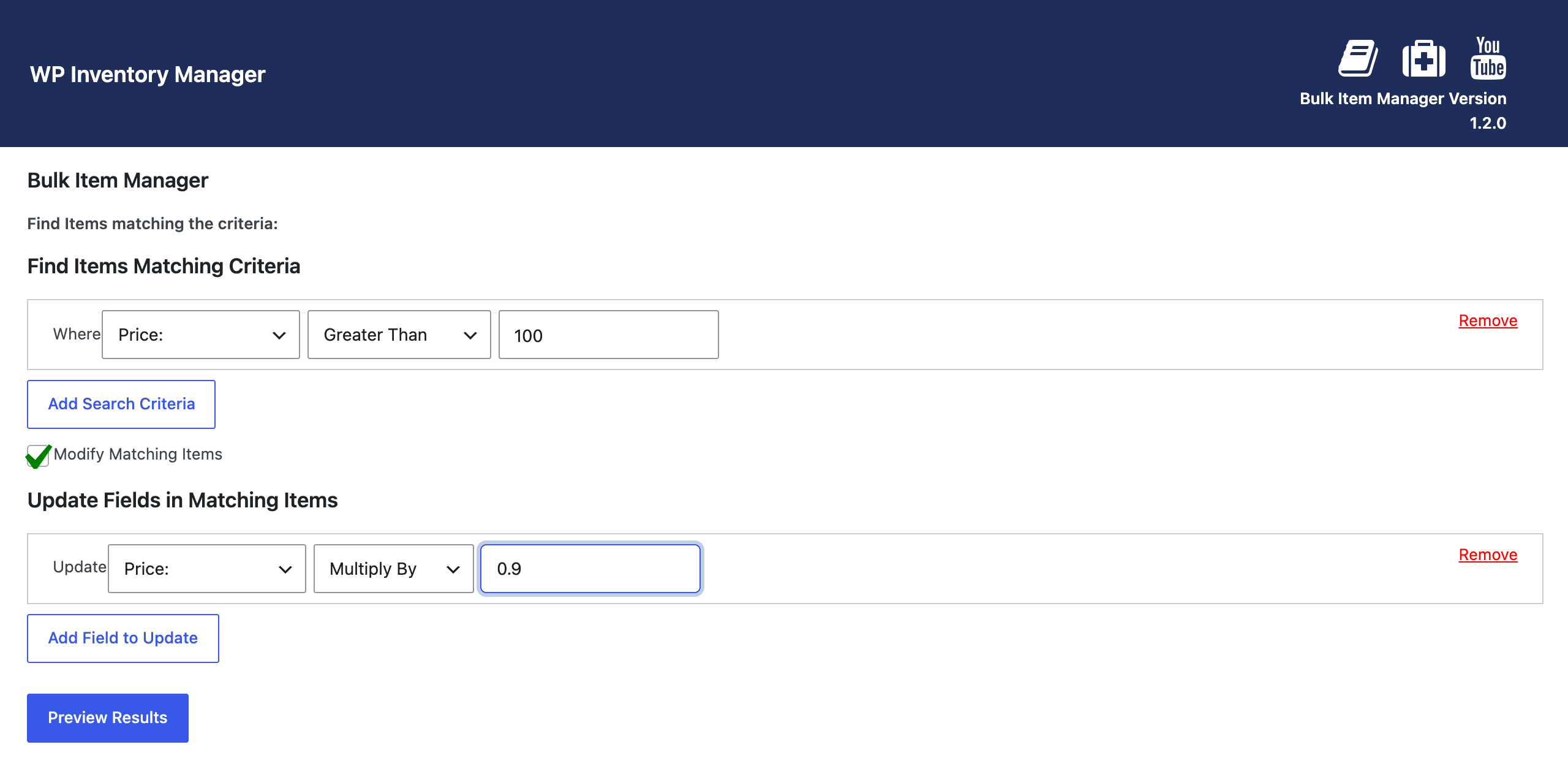
What the bulk edit add-on can change
Filters work on any field, including custom fields created with the Advanced Inventory Manager, with the qualifiers you would expect: equal to, starts with, ends with, contains, does not contain, greater than, less than. The changes are just as flexible. Replace a value, append or prepend text, or for numbers multiply, divide, add and subtract, on any field, not only the ones you filtered by. Raise every Fender price by ten percent and add a trademark symbol to the name in the same run, move a whole category to a new status, or fix a supplier’s name across two hundred items. You can stack several filters and several updates in one operation, and you can also delete every matching item when a line is discontinued.
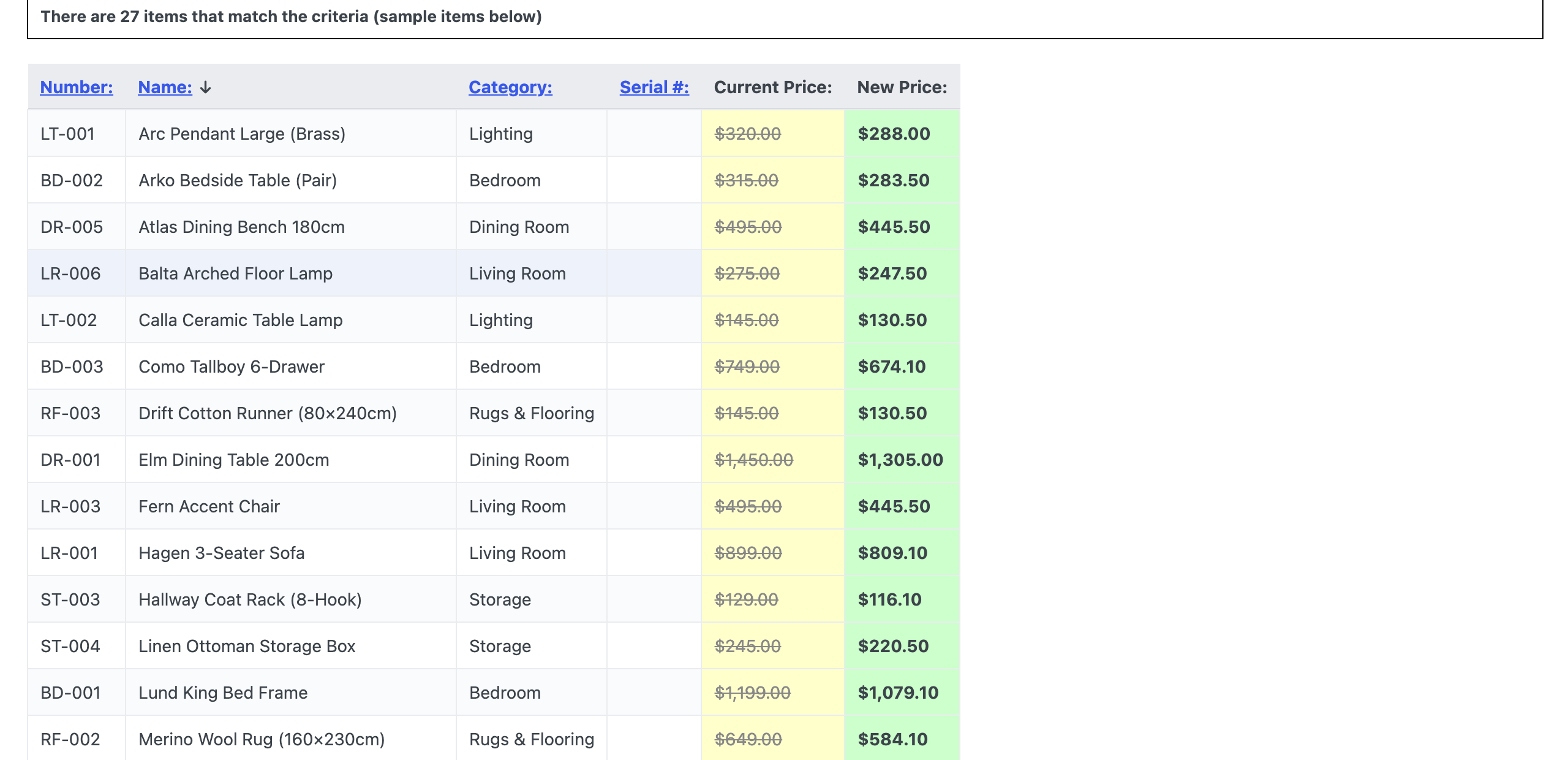
Nothing changes until you say so. “Preview Results” lists every matching item with its current value struck through and the new value beside it, so a mistyped filter shows up as a wrong list rather than a wrong database. A single setting on the Bulk Management tab in WP Inventory Settings sets the minimum user role allowed to use the tool, which keeps it away from anyone who should not be rewriting stock in bulk. It is the natural companion to the Import and Export add-on for cleaning up freshly imported data, and to the Locations Manager when a store moves. The documentation walks through a full update step by step, and there is a short demo on YouTube.
(Note: This add-on requires a licensed copy of the WP Inventory Manager)
