
The Reserve Cart add-on turns WP Inventory Manager’s one-item reservation form into a multi-item reservation cart. Out of the box, a visitor can reserve a single item at a time; with Reserve Cart they add as many items as they like from your listing, adjust quantities, and send one request for all of them. You get a single reservation email listing every item, and your visitor gets a single confirmation.
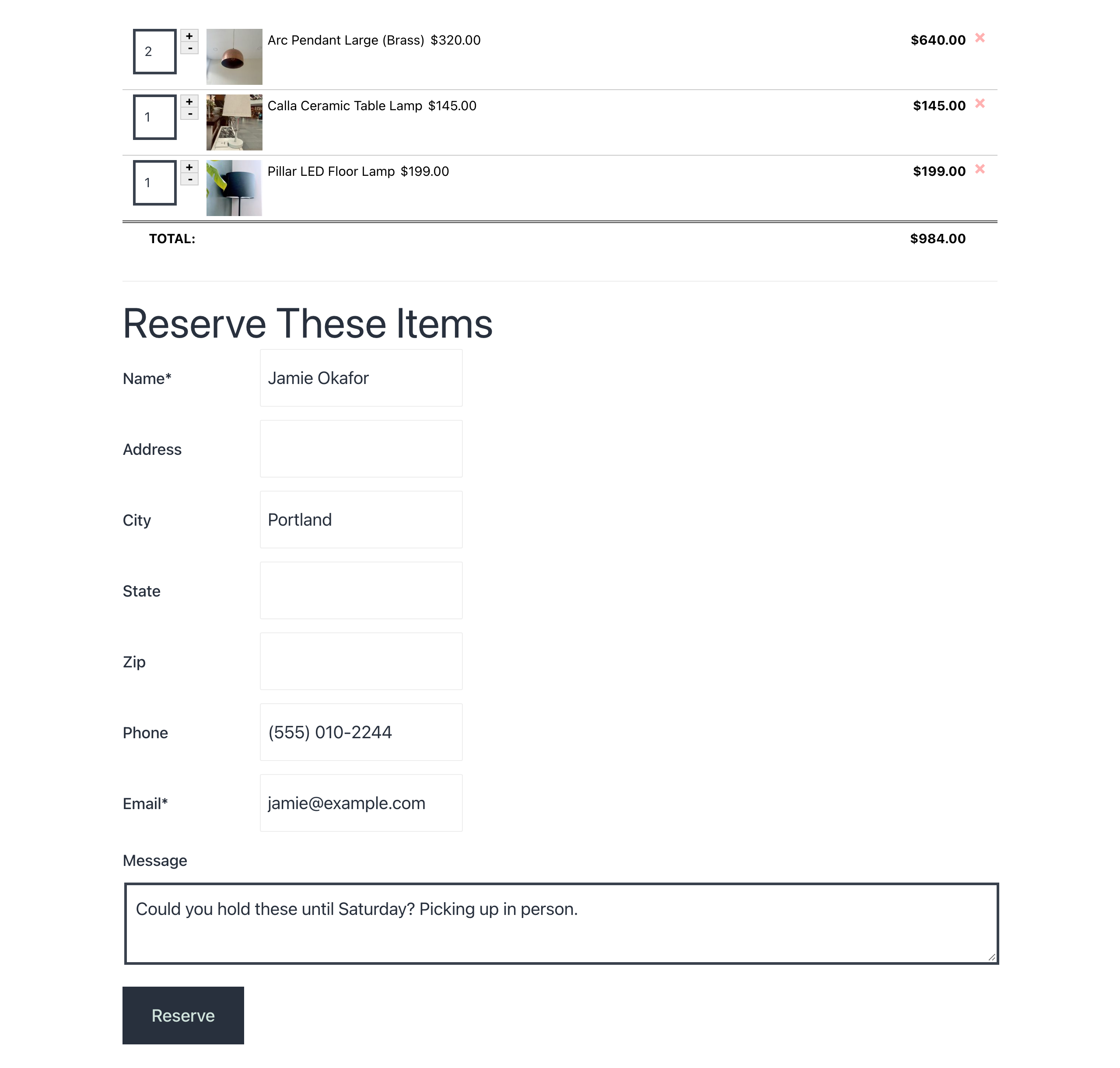
How the multi-item reservation cart works
An “Add to Cart” button appears next to every item in your listing and on each detail page. Two shortcodes do the rest: [wpinventory_cart] shows the current cart anywhere on your site, and [wpinventory_checkout] builds the checkout page, with the cart contents, an optional running total, and the same reservation form you already use, so name, email, phone and message settings carry over. A cart widget is included for sidebars, and the add-to-cart and checkout templates can be overridden in your theme like any other WP Inventory Manager template.
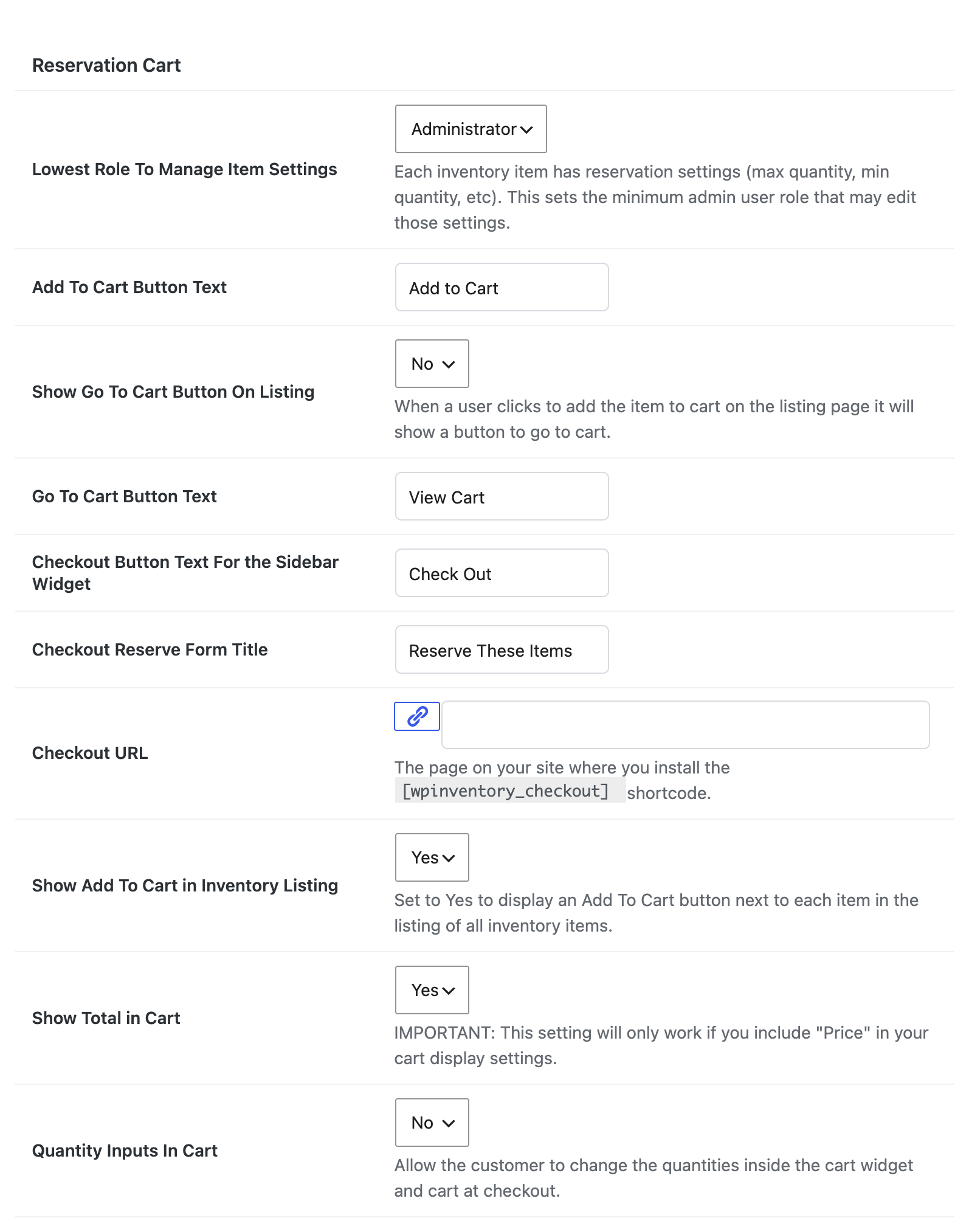
Everything is configured from the Reserve tab in your WP Inventory settings: the button and checkout labels, which page holds the checkout form, whether to show a total, whether visitors can change quantities, and per-item minimum and maximum quantities for stock you need to ration. Reserve Cart is a natural fit for equipment rental, prop and costume libraries, school and church resource rooms, and any catalog where people usually want several things at once. Stock can be reduced automatically when a reservation comes in, exactly as with the standard form, and with the Ledger add-on each reservation is recorded as a ledger entry against every item in the cart. Reservations arrive by email and appear in your dashboard the same way single-item reservations always have, so nothing changes in how you process them. The documentation covers every setting, and there is a short demo on YouTube.
(Note: This add-on requires a licensed copy of the WP Inventory Manager)
