
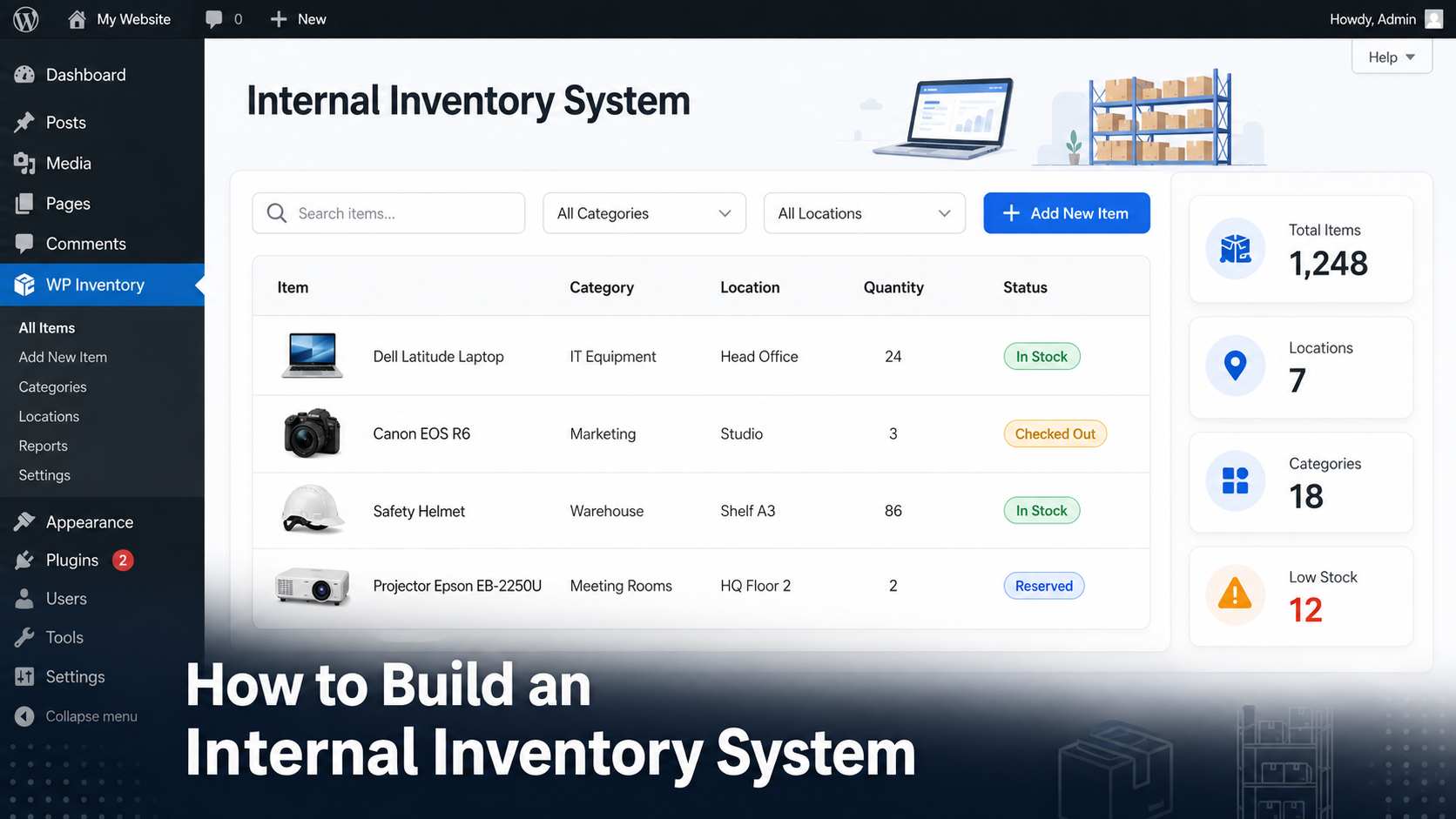
Most businesses don’t lose inventory because people steal it, they lose track of it. Equipment gets moved between offices, tools never make it back to storage, and spreadsheets quickly become outdated. An internal inventory system solves this by giving your entire team one central place to manage inventory, assets and equipment.
Whether you manage office equipment, warehouse supplies, rental gear or company assets, this guide explains what an internal inventory system is, why spreadsheets eventually become a liability, and how you can build one in WordPress without investing in expensive enterprise software.
What is an internal inventory system?
An internal inventory system is software that helps an organization track the items it owns and uses internally. Unlike ecommerce inventory software, its purpose isn’t to sell products online. Instead, it keeps accurate records of equipment, supplies, tools and assets used by employees or departments.
Examples include:
| Industry | Items commonly tracked |
|---|---|
| Corporate offices | Laptops, monitors, phones, desks and office furniture |
| Manufacturing | Tools, spare parts, safety equipment and consumables |
| Schools | Chromebooks, tablets, projectors, science equipment |
| Churches & nonprofits | Audio equipment, chairs, event supplies and storage inventory |
| Rental businesses | Camera gear, AV equipment, sports equipment and event rentals |
The goal is simple: know what you own, where it is, how many you have, and who is responsible for it.
Why spreadsheets stop working
Almost every business starts with Excel or Google Sheets. They’re free, familiar and easy to share.
Unfortunately, they were never designed to become inventory systems.
As your inventory grows, spreadsheets create problems that become increasingly expensive to fix.
| Spreadsheet | Internal inventory system |
|---|---|
| Multiple copies exist | One centralized database |
| Manual searching | Instant search and filtering |
| Easy to overwrite data | Controlled updates and permissions |
| No audit trail | Complete inventory history |
| Hard to share publicly | Searchable inventory on your website |
| No automation | Imports, reservations, reports and add-ons |
One of the biggest issues is synchronization. Once inventory exists in multiple spreadsheets, or in both WordPress and Excel, the numbers eventually diverge.
We explain why this happens and how to prevent it in our guide to fixing out-of-sync inventory in WordPress.
Signs you’ve outgrown Excel
You don’t necessarily need enterprise inventory software. But if any of the following sound familiar, it’s probably time to move beyond spreadsheets.
- Multiple employees edit the same inventory.
- You frequently ask “Who changed this quantity?”
- You can’t quickly find a specific item.
- Different departments maintain separate inventory files.
- Your inventory includes photos or documentation.
- You manage inventory across multiple locations.
- You regularly import or export inventory.
- Your website and inventory database are separate systems.
If you’re currently maintaining inventory in Excel, migrating doesn’t have to mean starting from scratch. WP Inventory Manager includes import tools, and our guide on importing inventory from a spreadsheet walks through the migration process step by step.
What features should an internal inventory system include?
Not every inventory application offers the same capabilities. Before choosing one, make sure it can grow with your business.
A searchable inventory database
The heart of any internal inventory system is a centralized database. Every asset, piece of equipment or inventory item should exist only once, giving everyone in your organization a single source of truth.
Instead of scrolling through hundreds of spreadsheet rows, employees should be able to search by:
- Item name
- SKU
- Serial number
- Category
- Location
- Custom fields
As your inventory grows into the hundreds or thousands of items, powerful search quickly becomes one of the most valuable productivity features. The Advanced Search add-on extends WP Inventory Manager with additional filtering capabilities for larger inventories.
Categories and organization
Not every organization structures inventory the same way. A construction company might organize equipment by project, while a school organizes it by classroom and a nonprofit by ministry or event.
A good inventory system should let you organize items into meaningful categories without forcing a rigid structure.
Custom fields for your business
Every organization tracks different information.
Some businesses only need quantities, while others need purchase dates, warranty expiration, assigned employee, manufacturer, condition or maintenance records.
That’s why custom fields are essential. Rather than adapting your workflow to the software, the software should adapt to your inventory.
| Industry | Useful custom fields |
|---|---|
| IT Department | Asset tag, assigned employee, operating system |
| Construction | Project, maintenance date, inspection status |
| Schools | Room number, teacher, academic department |
| Rental companies | Replacement value, rental rate, condition |
Location tracking
One of the biggest causes of “missing” inventory is that nothing is actually lost, it has simply been moved.
Whether you operate from multiple warehouses, offices or storage rooms, recording each item’s location dramatically reduces the time employees spend searching for equipment.
For organizations managing larger stockrooms, our guide to warehouse inventory management in WordPress explores additional organization strategies.
Inventory history
Knowing today’s quantity is useful.
Knowing why that quantity changed is even more valuable.
An inventory history lets you answer questions like:
- Who updated this item?
- When was stock adjusted?
- Why was inventory removed?
- Was this item reserved or sold?
- How often does this equipment move?
If detailed transaction history is important to your organization, our guide explaining what an inventory ledger is explains how every inventory movement can be automatically recorded.
Who needs an internal inventory system?
Although inventory software is often associated with warehouses and retailers, many organizations benefit from tracking internal assets instead.
Corporate IT departments
IT teams manage laptops, monitors, networking equipment, peripherals and mobile devices. Knowing which employee has each asset significantly reduces replacement costs and simplifies hardware audits.
Churches and nonprofits
Churches often own hundreds of items that move between services and events, from microphones and speakers to folding chairs, projectors and children’s ministry supplies.
Our dedicated guide to church inventory management covers this use case in more detail.
Gyms and fitness centers
Fitness businesses need to track equipment purchases, maintenance schedules and replacement planning.
See our guide to gym equipment inventory tracking for a practical example.
Rental businesses
Rental companies need more than quantities, they need to know what is currently available, what has been reserved and what is due back.
WP Inventory Manager can be extended with Reserve Cart, allowing customers to reserve inventory directly from your website while maintaining accurate stock availability.
How to build an internal inventory system in WordPress
You don’t need expensive enterprise software to manage internal inventory effectively. If your organization already uses WordPress, you can build a centralized inventory database without adding another platform for your team to learn.
WP Inventory Manager was designed specifically for organizations that need to track inventory, equipment and assets without the complexity of an ecommerce solution.
Step 1: Create your inventory database
Start by defining the information you want to track for every item.
Typical fields include:
- Item name
- SKU or Asset ID
- Category
- Current quantity
- Storage location
- Serial number
- Purchase date
- Condition
- Assigned employee or department
Because every organization is different, WP Inventory Manager lets you extend items with custom fields instead of forcing you into a predefined structure.
Step 2: Import your existing inventory
If you’ve already built an inventory spreadsheet, don’t recreate everything manually.
Most businesses already have years of inventory data stored in Excel or Google Sheets. Importing that information dramatically reduces migration time while preserving your existing records.
Our guide to importing inventory from a spreadsheet explains how to prepare your data before importing it into WP Inventory Manager.
Step 3: Organize your inventory
As your inventory grows, organization becomes more important than data entry.
Use categories, locations and custom fields consistently so employees can quickly find what they’re looking for.
Instead of searching through hundreds of items, someone should be able to filter the inventory down to exactly what they need within seconds.
Step 4: Track inventory history
Inventory quantities change every day. Recording those changes gives valuable context when something doesn’t look right.
For example, if an item’s quantity unexpectedly drops, a history log can immediately show whether it was adjusted manually, reserved for a customer or removed from stock.
If you need complete transaction history including costs, reservation status and invoices, our Inventory Ledger guide explains how to automatically record every inventory movement.
Step 5: Extend your inventory system as you grow
One advantage of using WordPress is that your inventory system can evolve with your business.
As requirements become more sophisticated, WP Inventory Manager can be extended with add-ons including:
- Advanced Search for larger inventories.
- Inventory Ledger for complete stock history.
- Reserve Cart for equipment reservations.
- Locations for businesses storing inventory across multiple sites.
Common mistakes to avoid
Even with dedicated inventory software, a few simple mistakes can reduce the accuracy of your inventory.
| Mistake | Better approach |
|---|---|
| Keeping multiple spreadsheets | Maintain one centralized inventory database. |
| Using inconsistent categories | Define categories before importing data. |
| Ignoring inventory history | Track every significant inventory movement. |
| Choosing ecommerce software for internal inventory | Use software designed specifically for internal inventory management. |
Frequently Asked Questions
What is the difference between inventory management and asset management?Inventory is generally consumed, sold or replenished. Assets are long-term items such as laptops, tools or equipment that remain owned by the organization. Many businesses track both within the same internal inventory system.
Can I build an internal inventory system without WooCommerce?Yes. WP Inventory Manager was built specifically for businesses that need inventory tracking without running an online store.
Can multiple employees manage inventory?Yes. WordPress user roles make it possible to control who can add, edit or manage inventory records.
Can I publish my inventory online?Yes. Many organizations use WP Inventory Manager to create searchable public equipment catalogs while keeping administrative controls inside WordPress.
Build an inventory system your whole team can trust
Replacing spreadsheets doesn’t just improve organization, it gives your team confidence that everyone is working from the same information.
With WP Inventory Manager, you can build a centralized inventory database, organize equipment, track inventory history and extend your system as your organization grows, all without leaving WordPress.
Ready to move beyond spreadsheets?
Discover how WP Inventory Manager helps businesses, schools, nonprofits and rental companies manage equipment, assets and internal inventory from one centralized WordPress application.
