
The Advanced Search add-on adds front-end inventory search filters, Amazon style, to WP Inventory Manager. Choose which fields your visitors can filter by, the order of those fields, and how many values to show before a “See More” link. All of this is done with a drag-and-drop interface in your WordPress dashboard, with instructions right on the page.
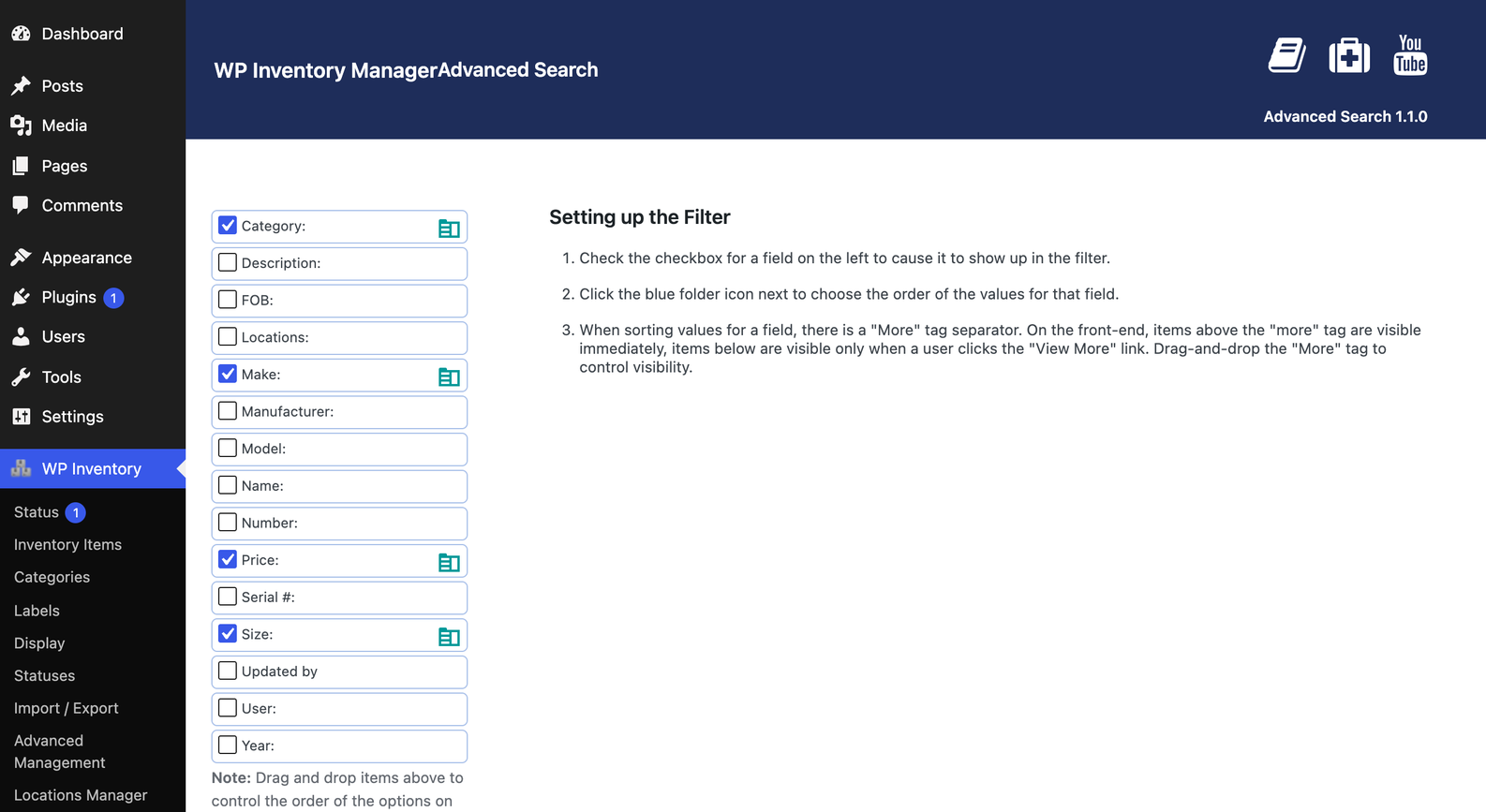
Inventory search filters where your visitors are
Put the inventory search filters on the front end either through a widget in any sidebar, or anywhere on a page through a shortcode with plenty of parameters to make it fit. Visitors can combine as many filters as you offer, and the available values update as they choose, so they never end up with an empty result. For example, if a visitor ticks the Lighting category and no lamps come from a particular make, that make drops out of the list. Only fields that actually hold values appear as filters, so an unused field never shows up empty.
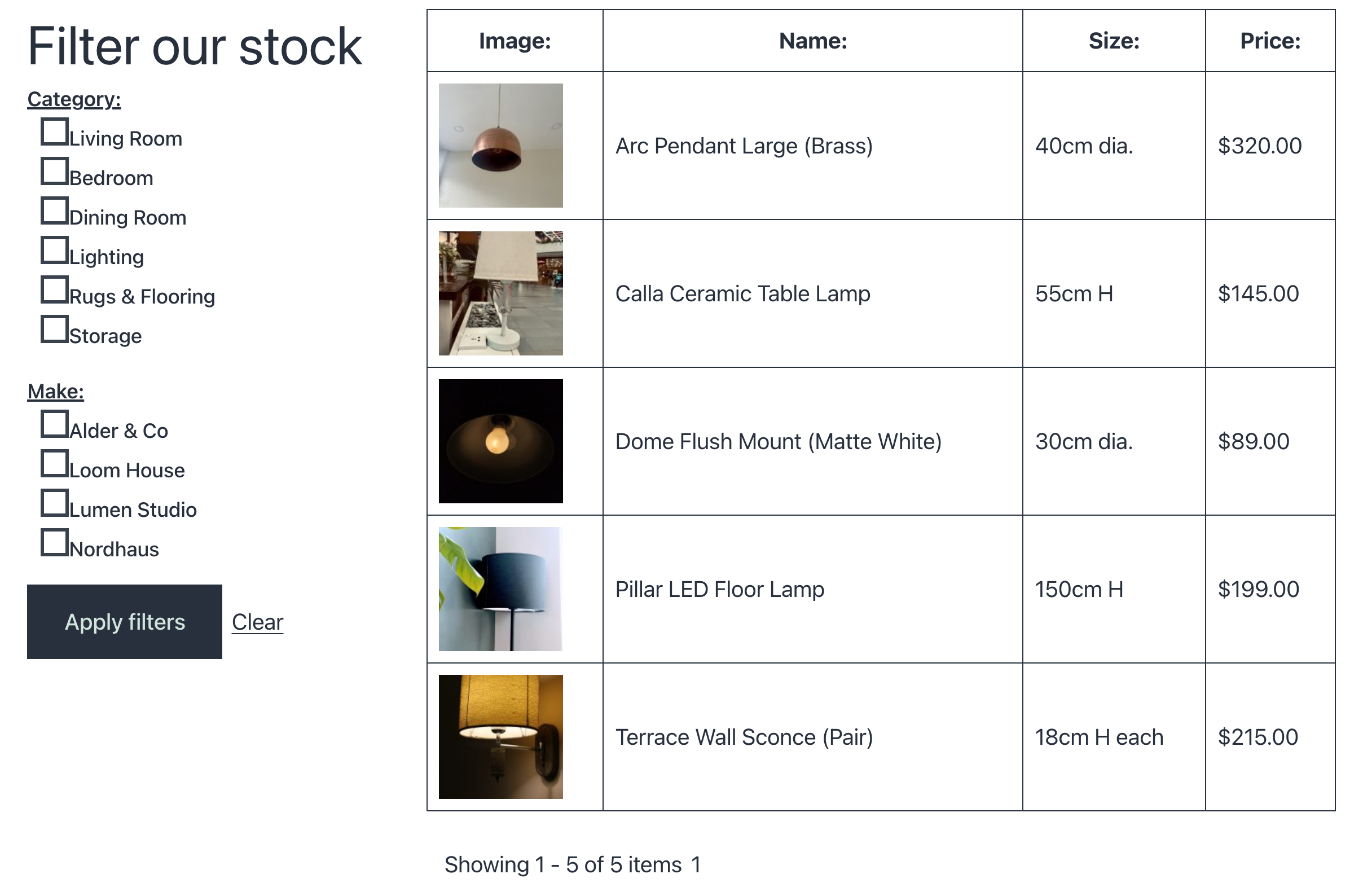
Advanced Search works with the standard inventory fields and, if you use the Advanced Inventory Manager, with the custom fields you define per inventory type: the number of strings on a guitar, the seating of a sofa, the wattage of a lamp. A store with hundreds of items, a rental fleet, a library of props, or a school equipment catalog all get the same quick narrowing that visitors expect from any large shop. Nothing changes in how you manage stock: the filters read the fields and values you already maintain, and a field you stop using disappears from the filter on its own. Setup takes a few minutes; the documentation covers the widget, the shortcode and every option, and there is a short video walkthrough on YouTube.
(Note: This add-on requires a licensed copy of the WP Inventory Manager)
