
Display Tab

Setting up the inventory display settings

The “Display” tab in the dashboard will bring up a screen that allows the user to drag and drop available fields into different sections, which will make that field display in the specified section. You can choose which fields will display in the Inventory Listing, Detail Pages, Admin Listing, and website Search Results. Essentially, whatever information you want to display on the listing page and the detail page, you just drag and drop into that view. You can have as little as one piece of information or all available fields showing. Also, remember that any labels you turn off and don’t use, will not show up here as an available field.
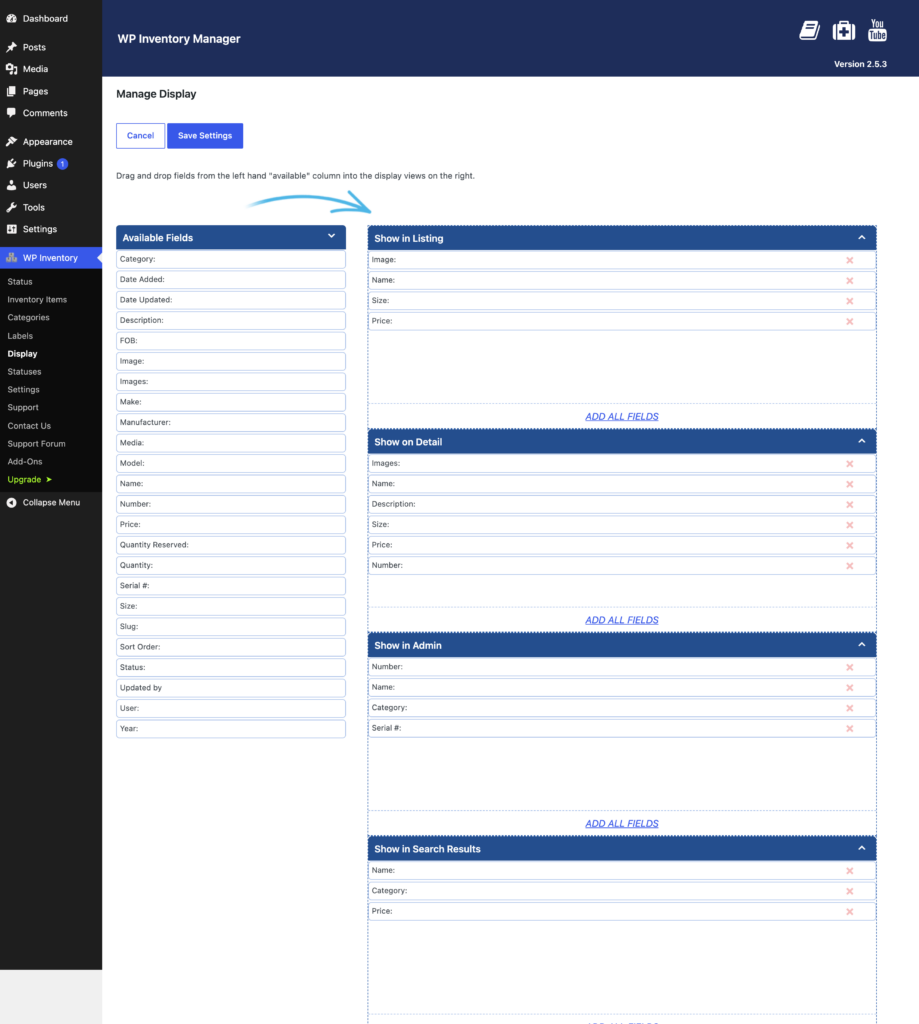
The Manage Display screen, with available fields on the left and the Listing, Detail, Admin and Search Results views on the right

Below the drag and drop fields, you’ll also find a few more settings related to the display of labels and images. These inventory display settings are optimized by default, but you’re able to customize for specific use cases here.
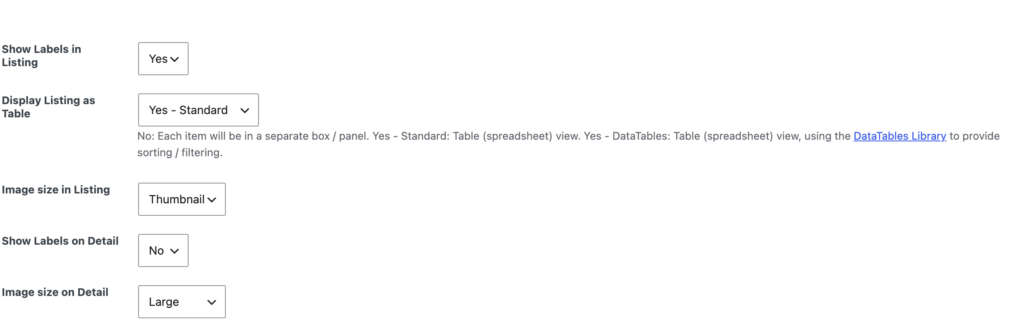
Display settings below the drag-and-drop views, controlling label visibility, table layout and image sizes

Almost done! Let’s add inventory!

30-day money-back guarantee

Reviews on WordPress.org

Trusted by 134,000+ businesses since 2013

★★★★★

"Created an online museum for my club. Really impressive plugin. Support was responsive and helpful."

@hackrepair

★★★★★

"Excellent, clean, simple inventory management. Well structured code — use it right away or customize it to your liking."

@techlocally

★★★★★

"We purchased the entire suite. Installation was easy, small issues were fixed immediately, and the guidance during setup was invaluable."

@design4dotcom

★★★★★

"Plugin support was helpful and rapid. Highest mark."

@drgar

★★★★★

"Great support. Very thorough when looking for a solution, and upfront with exactly how to fix it or institute a workaround."

@shoidahl

★★★★★

"I used this plugin and eventually hired the developers for all my WordPress work. Responsive, competent, and clean code. Would recommend to anyone."

@justenhong