
Have more than one store, warehouse, van or storeroom? The Locations Manager is the multi-location inventory add-on for WP Inventory Manager. Create any number of locations, each with its own name and address, and split every item’s quantity across them: eight in the showroom, twelve in the warehouse, two out on the delivery van. The item’s total stays the single number your visitors see, while you keep track of where each unit actually is.
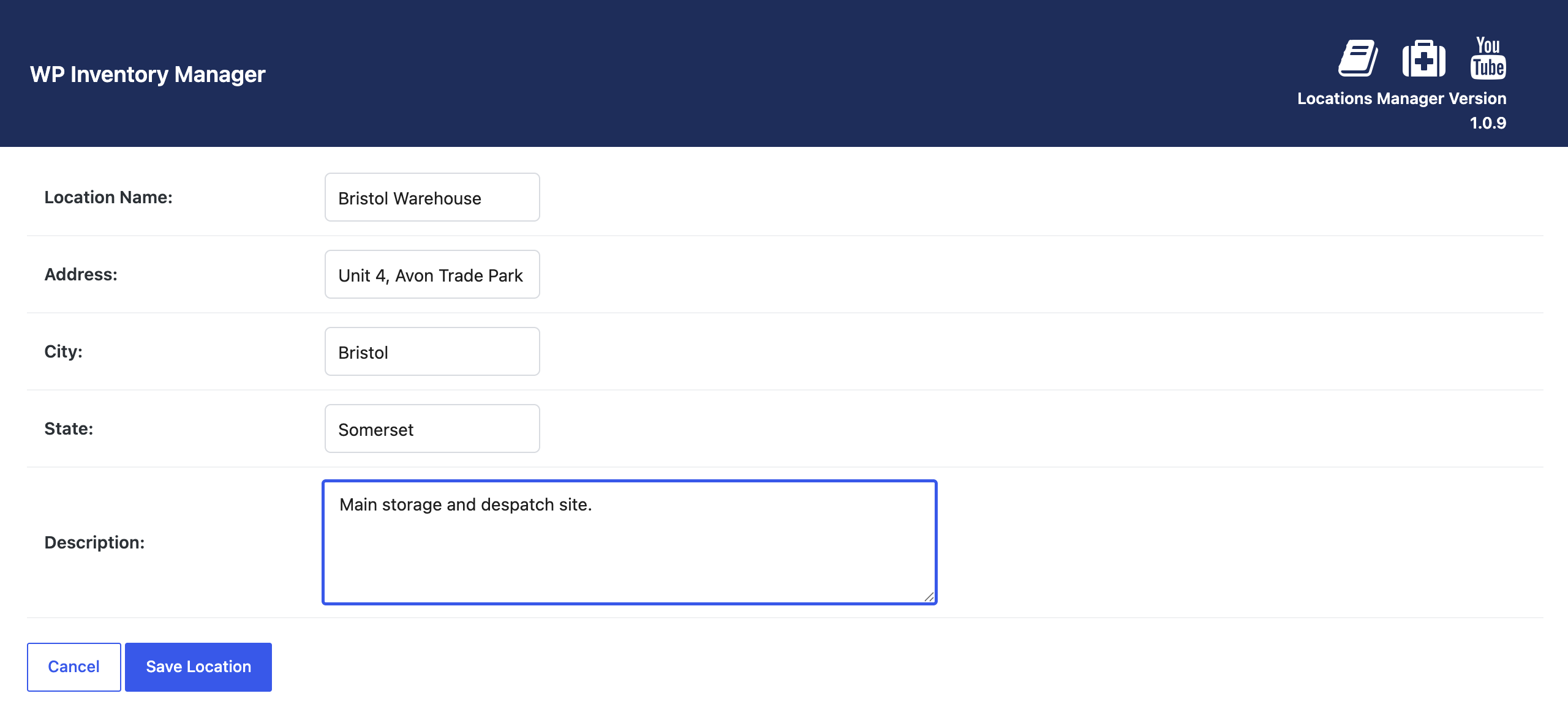
How the multi-location inventory add-on works
Once your locations exist, every item’s edit form gains an “Assign to Locations” field where you enter the quantity held at each one. Moving stock between locations is a matter of changing two numbers, and an optional check on save confirms that the location quantities add up to the item total, so a typo cannot quietly lose a unit.

Every change is written to the Location Activity log: which item, which location, how many, when, and by whom. You can add manual entries too, for returns, breakages or a stock count, so the log doubles as a per-location audit trail. When a visitor reserves an item, the add-on takes the quantity from your locations in the priority order you set, moves to the next location when the first is empty, and can name the location in the confirmation email so the customer knows where to collect.
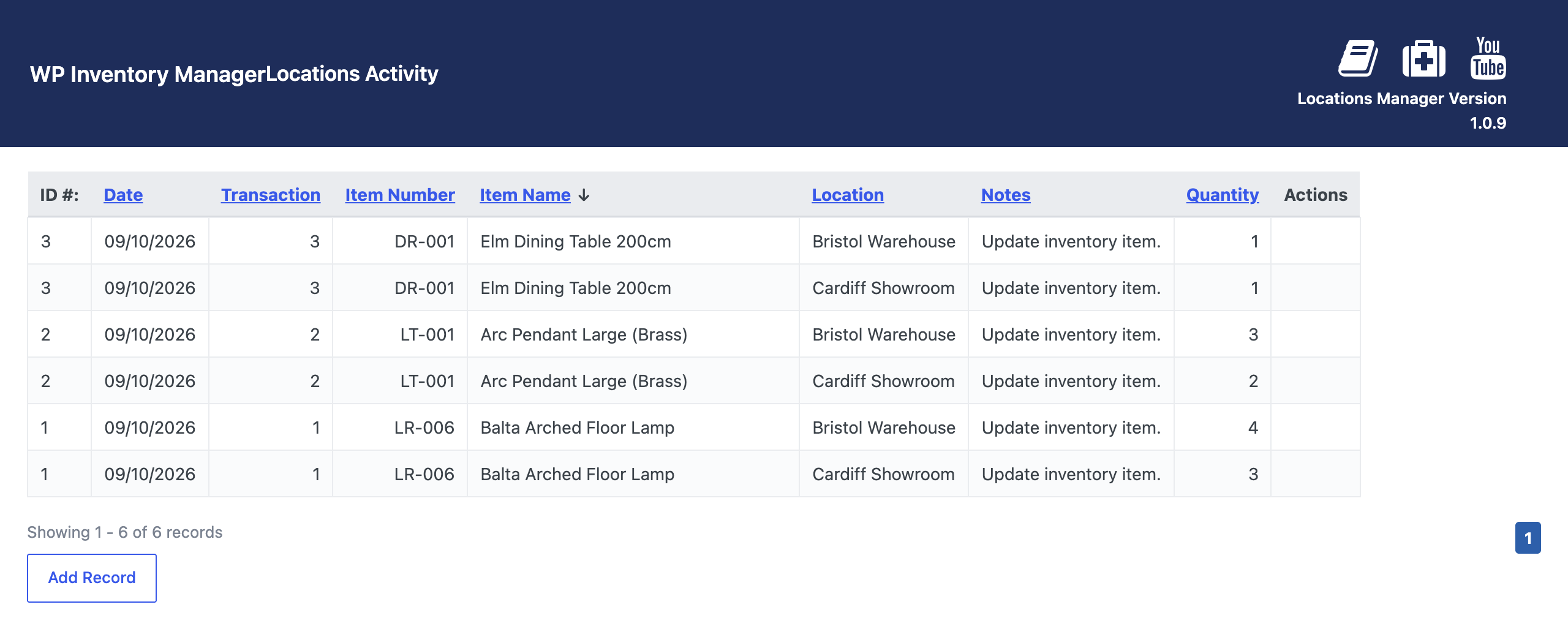
Locations Manager suits any inventory that lives in more than one place: a retailer with two shops and a stockroom, a rental company with depots, a school with equipment spread across buildings, a charity with several warehouses. It works with the Ledger add-on, so each ledger entry can record the location the stock moved from. For the wider picture, read our guide to multi-location inventory management in WordPress; the documentation covers every setting, and there is a short demo on YouTube.
(Note: This add-on requires a licensed copy of the WP Inventory Manager)
