
WP Inventory Manager sets permissions by WordPress role: every editor can do the same things, every subscriber can do the same things. Advanced User Control adds per-user inventory permissions on top. For each user on your site you choose, one at a time or in bulk, whether they can view no items, only their own items, or all items; whether they can add items; and whether they can edit none, their own, or all. A seller can manage their own stock without seeing anyone else’s, a moderator can see everything, and a subscriber can be shut out entirely.
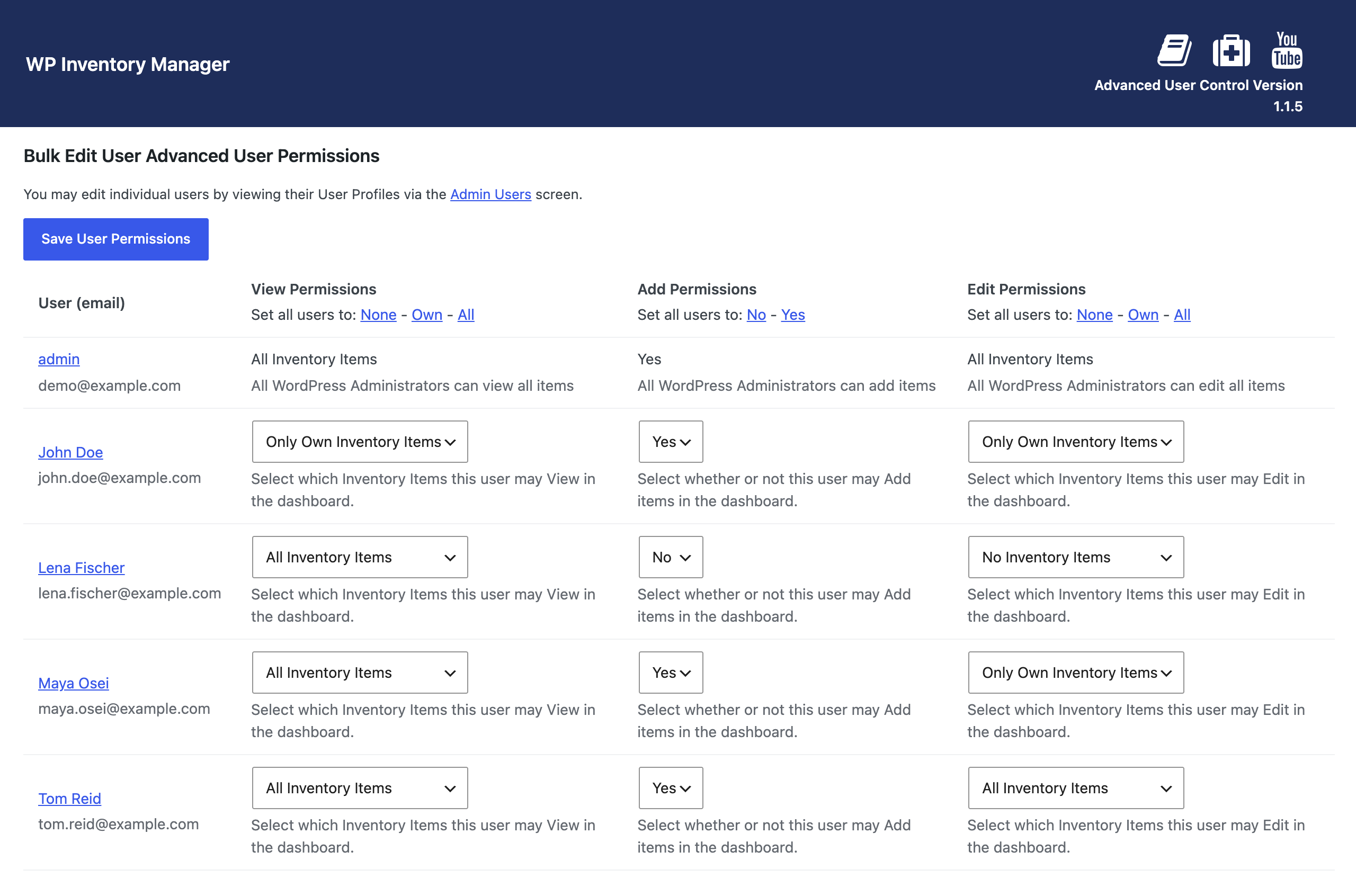
Per-user inventory permissions and item ownership
The add-on also gives every item an owner. A new field on the item form lets you assign or change the user who owns it, and the “only own items” permissions key off that field, so handing an item to a different seller is a single dropdown change. Turn on “Send E-Mail to Item Owner on Reserve” in the Advanced User tab of the settings and, when a visitor reserves an item, the owner gets the reservation email as well as the site administrator, which is exactly what a consignment shop, a maker collective or a multi-vendor showroom needs.

Two things to know before you buy. First, the add-on refines permissions within what a user’s WordPress role already allows; it cannot grant a contributor the ability to add items if your sitewide settings require an author or higher, so set the minimum roles in WP Inventory Settings first and use Advanced User Control to narrow from there. Second, permissions are per user, not per company: several people who share one company’s inventory each need their own permissions, or a shared login. The documentation walks through the screen and the troubleshooting, and there is a short demo on YouTube. If you are separating stock by user because it lives in different places rather than belongs to different people, the Locations Manager may be the better fit.
(Note: This add-on requires a licensed copy of the WP Inventory Manager)
