
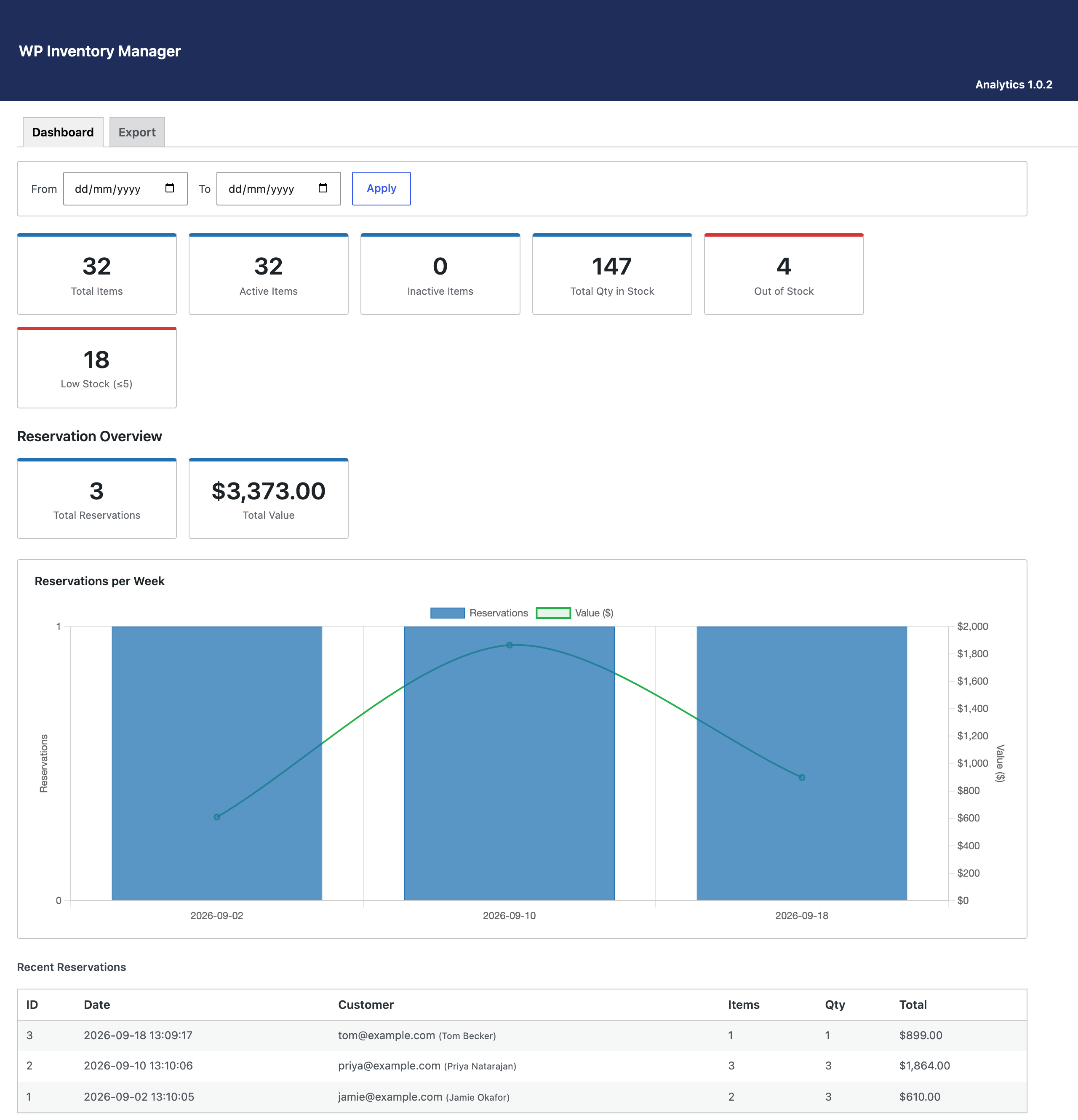
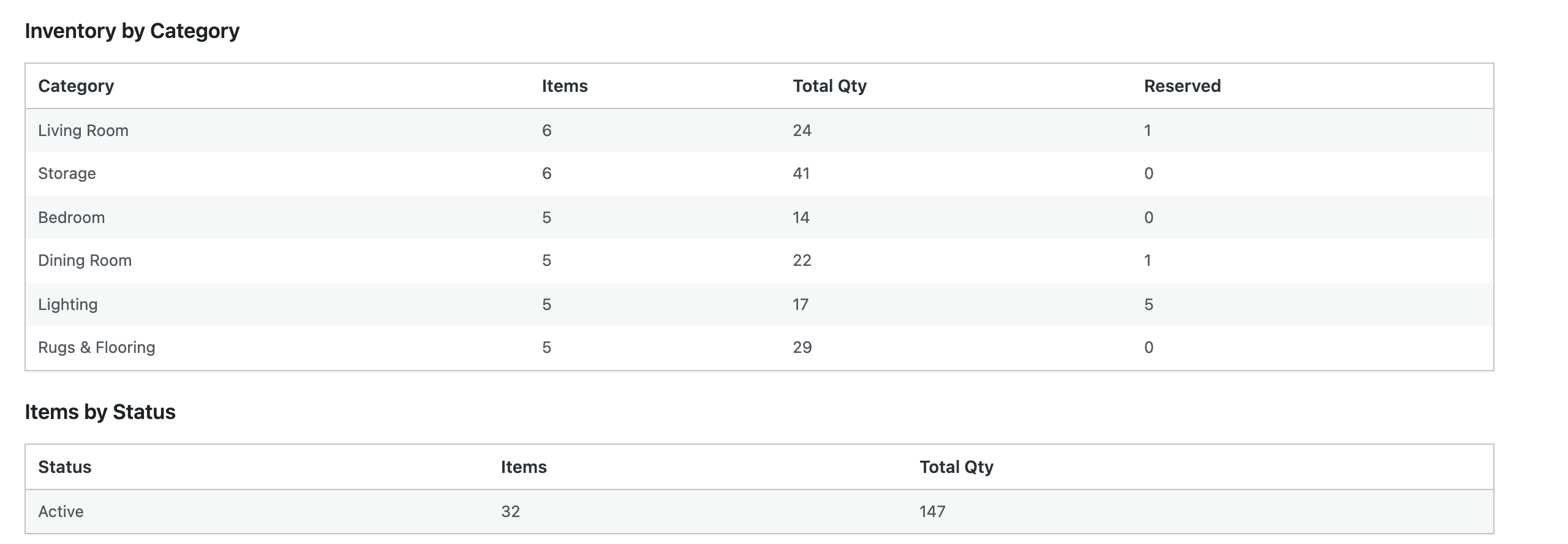
The Analytics add-on gives WP Inventory Manager a WordPress inventory analytics dashboard: one screen under the WP Inventory menu that answers the questions you otherwise assemble by hand. How many items do we carry, how many are active, how much stock is on hand, what is out of stock, and what is about to run out? Summary cards at the top give the numbers; the tables below break them down by category and by status, list what changed in the last 30 days, and flag every item at five units or fewer.
WordPress inventory analytics that grow with your add-ons
The dashboard reads whatever else you have installed. With the Reserve Cart it adds a Reservation Overview: total reservations and their value, a reservations-per-week chart with the value line on a second axis, the most recent orders, the most reserved items, and a CSV export of every reservation with the checkout form fields flattened into columns, ready for a spreadsheet. With the Ledger it adds a Ledger Summary of entries, pending value and completed value. With the Locations Manager it breaks inventory down by location, and with Advanced User Control it lists the users who own the most items. Sections for add-ons you do not have simply do not appear.
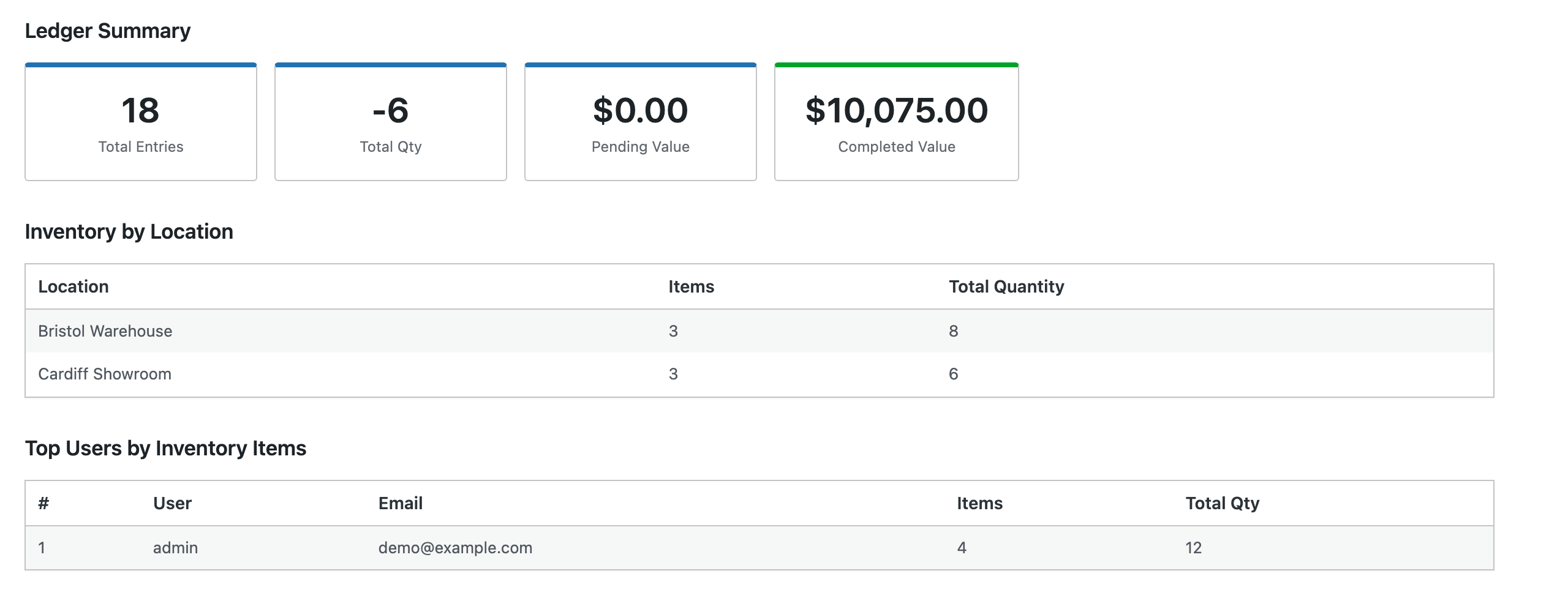
A date filter at the top of the page applies to the reservation and ledger figures, so you can compare this month with last, or pull one quarter’s reservations into the export. The inventory tables always show the current state of your stock and are not date-filtered. The dashboard is read-only: it reports on your inventory and never changes an item.
Analytics requires WP Inventory Manager Pro with an active license; on the free plugin it shows an upgrade prompt instead of the dashboard. If your license lapses, the dashboard keeps working and renewal is only needed for updates and support. The documentation covers installation and each section of the dashboard.
(Note: This add-on requires a licensed copy of the WP Inventory Manager)
