
WP Inventory Manager can already email you when stock runs low, but it uses one threshold and one address for every item. The Notifications add-on adds per-item low stock alerts: each item gets its own trigger quantity and its own list of recipients, so the person who reorders lamps hears about lamps, the showroom hears about the display stock, and a fast-moving line can warn you at twenty units while a slow one waits until two.
How per-item low stock alerts work
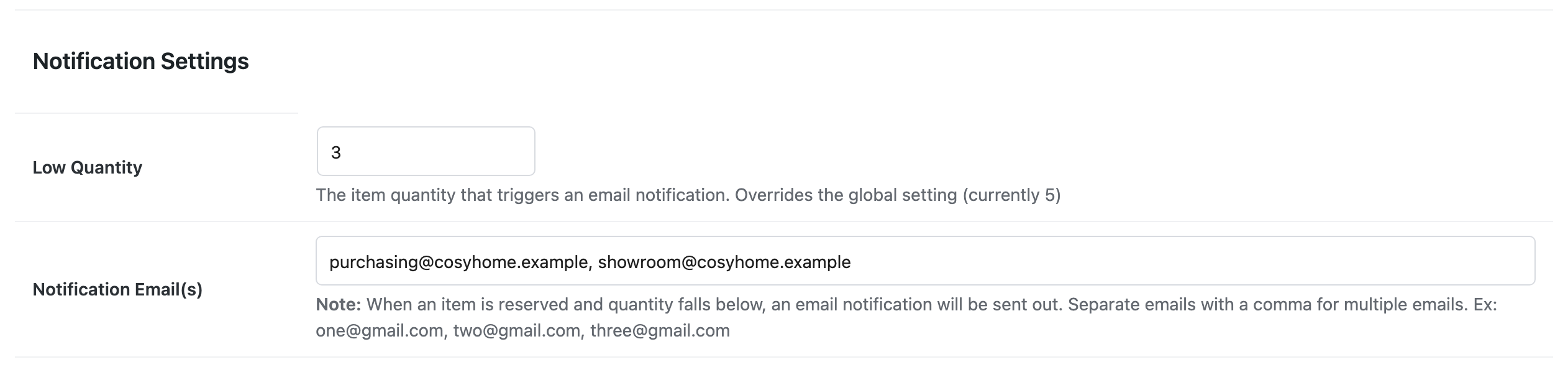
Once the add-on is active, every item’s edit page gains a Notification Settings section with two fields: the quantity that triggers the alert, and the email address or addresses to send it to, separated by commas. Leave either blank and the item falls back to the global setting, so you only configure the items that need special treatment. When a reservation brings the item’s quantity down to the threshold or below, the alert goes out to that item’s recipients.
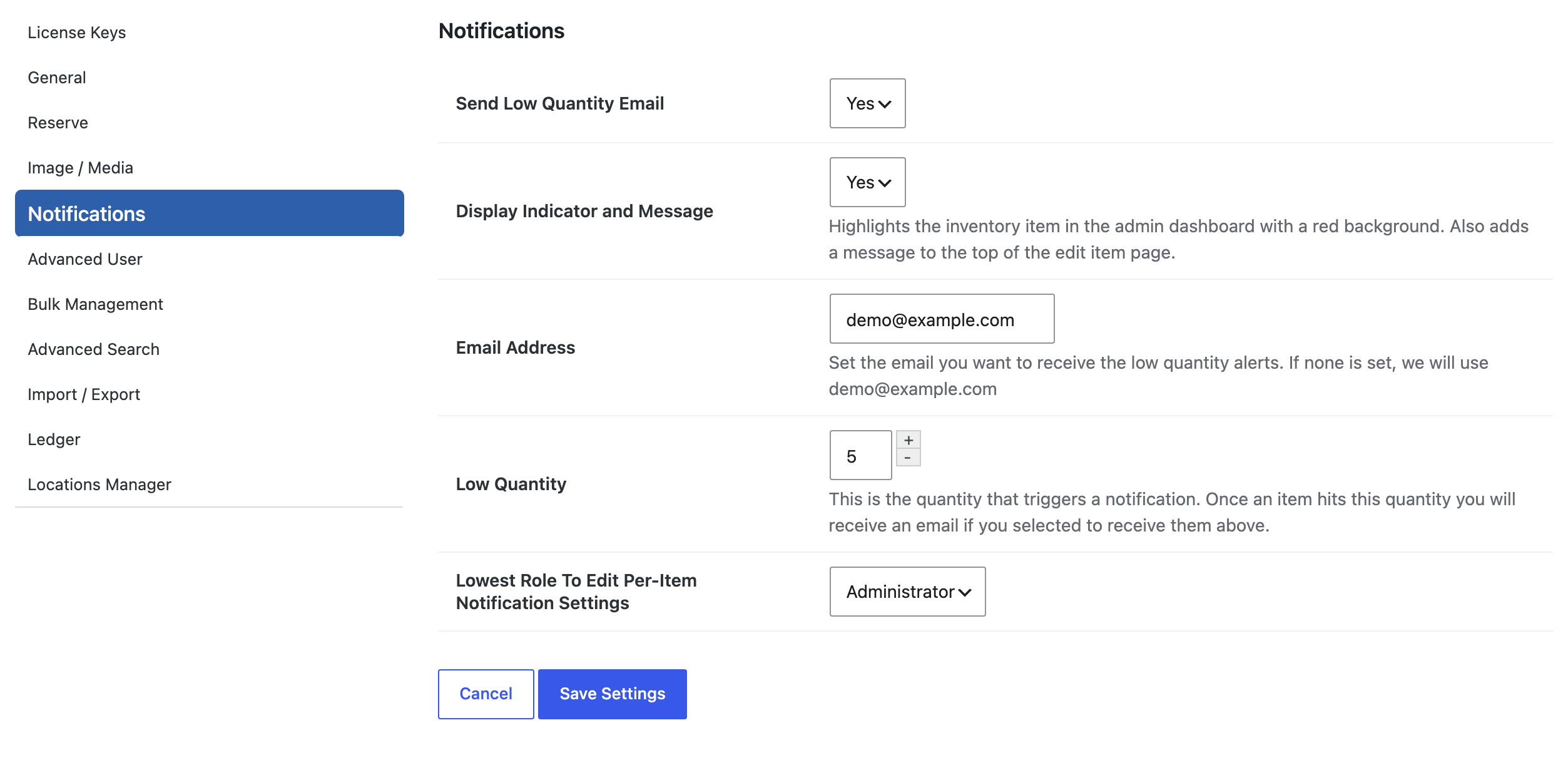
Two settings matter on the Notifications tab in WP Inventory Settings. “Send Low Quantity Email” must be set to Yes, because the per-item section only appears when low quantity emails are enabled at all. And “Lowest Role To Edit Per-Item Notification Settings” decides who on your team may change an item’s threshold and recipients, so a shop assistant can update stock without being able to reroute the alerts. The global “Display Indicator and Message” option still highlights low items in red in your dashboard.
One thing to know: the alerts fire when a reservation reduces the quantity. They do not fire when an administrator edits the quantity by hand or when a Ledger entry changes it, so the add-on is built for inventories where stock leaves through your website: rental gear, event equipment, samples, anything customers reserve. It pairs naturally with the Reserve Cart, where one checkout can take several items below their thresholds at once. The documentation covers the settings in detail.
(Note: This add-on requires a licensed copy of the WP Inventory Manager)
